
പ്രശ്നപരിഹാരം
Blockchain-ൽ successful ആയിട്ടും exchange balance-ൽ കാണാത്തത് എന്തുകൊണ്ട്?
Explorer success കാണിച്ചിട്ടും exchange credit ഇല്ലെങ്കിൽ destination, token contract, amount, confirmations, minimum, memo/tag, maintenance എന്നിവ പരിശോധിച്ച് receiving support-നെ സമീപിക്കുക.
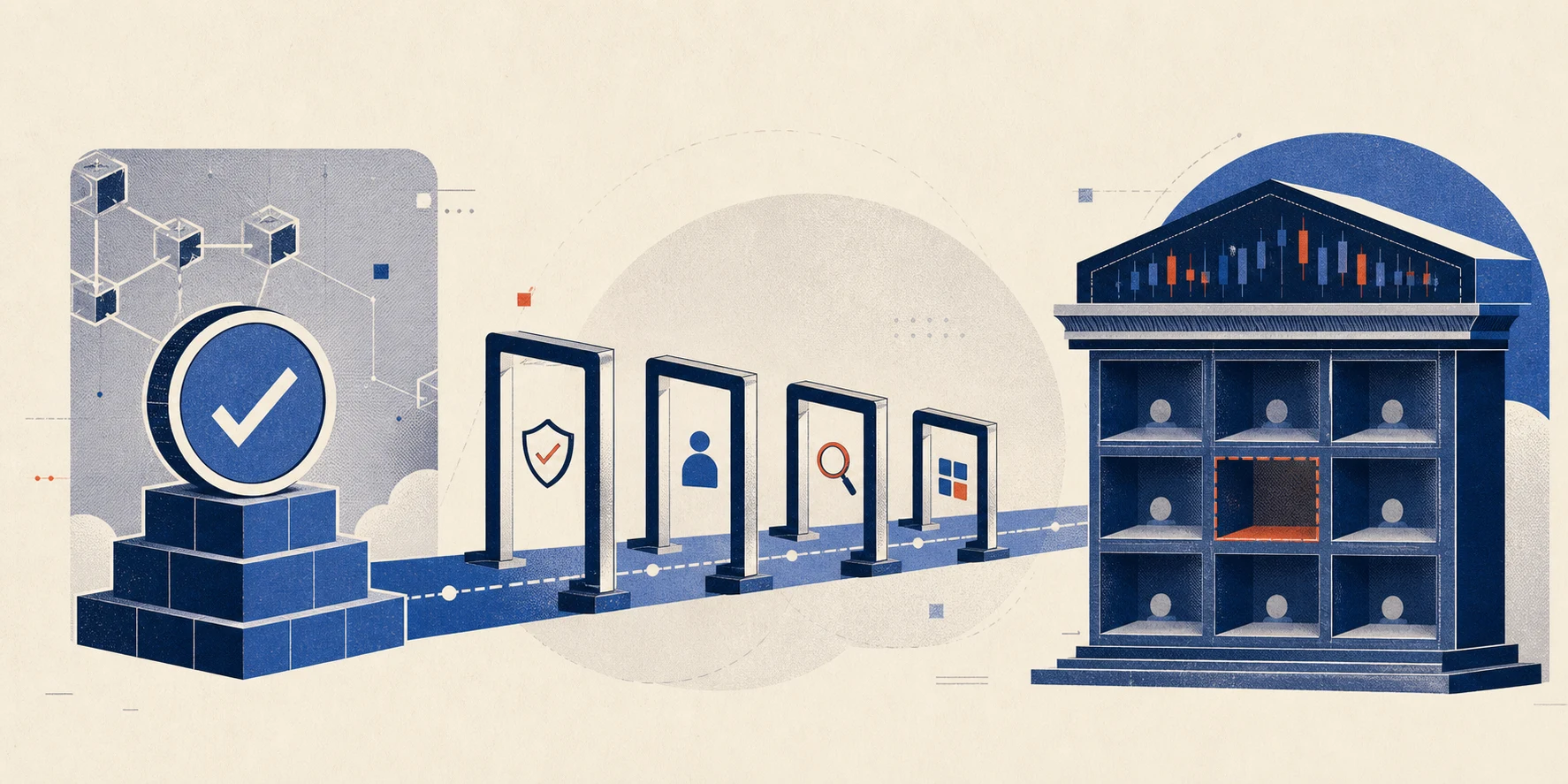
Chain വിജയിച്ചതും account credit-ഉം രണ്ട് ഘട്ടങ്ങളാണ്
Explorer-ൽ success എന്നത് transaction blockchain rules അനുസരിച്ച് പൂർത്തിയായി എന്നാണ്. Custodial exchange balance-ൽ credit വരാൻ destination address mapping, supported token contract, required confirmations, minimum deposit, Memo/Tag, internal risk checks എന്നിവയും ശരിയായിരിക്കണം.
Support ticket-ന് മുമ്പുള്ള പരിശോധന
- TXID ശരിയായ network explorer-ലാണോ?
- Destination address receiving account-ന്റെ deposit address-നോട് പൊരുത്തപ്പെടുന്നുണ്ടോ?
- Token Transfers-ൽ ശരിയായ USDT/USDC contract, amount കാണുന്നുണ്ടോ?
- Required confirmations പൂർത്തിയായോ?
- Amount minimum deposit-നേക്കാൾ കൂടുതലാണോ?
- Memo/Tag ആവശ്യപ്പെട്ടിരുന്നെങ്കിൽ ശരിയായി നൽകിയോ?
- Platform maintenance അല്ലെങ്കിൽ deposit incident notice ഉണ്ടോ?
ഇവ screenshot അല്ലെങ്കിൽ text ആയി രേഖപ്പെടുത്തുക. Account ID പങ്കിടേണ്ടിവന്നാൽ ഔദ്യോഗിക support form മാത്രം ഉപയോഗിക്കുക; public forum-ൽ sensitive data പോസ്റ്റ് ചെയ്യരുത്.
ആരെയാണ് ബന്ധപ്പെടേണ്ടത്?
Chain success ആയി destination receiving platform-ന്റെ address ആണെങ്കിൽ receiving platform ആണ് credit അന്വേഷിക്കേണ്ടത്. Sender platform-ന് blockchain-ൽ വിജയിച്ച transfer പിൻവലിക്കാൻ സാധാരണ കഴിയില്ല. Wrong token contract അല്ലെങ്കിൽ unsupported network ആണെങ്കിൽ recovery policy വേറെയായിരിക്കും; ഉറപ്പ് ഇല്ല, fee ഉണ്ടായേക്കാം.
ഈ ലേഖനം 2026-07-27-ന് Coinbase Exchange pending deposit രേഖ ഉപയോഗിച്ച് പരിശോധിച്ചു. Platform threshold, processing time എന്നിവ മാറാം.
Explorer success കാണിച്ചാലും exchange credit വൈകാം. Destination address, token contract, amount, confirmations, minimum deposit, Memo അല്ലെങ്കിൽ Tag, maintenance status എന്നിവ പരിശോധിക്കുക. Support ticket-ൽ copy ചെയ്യാവുന്ന TXIDയും public transaction detailsഉം നൽകുക; seed phrase അല്ലെങ്കിൽ private key ഒരിക്കലും നൽകരുത്.
Chain deliveryയും exchange creditഉം വേറെയാണ്
Explorer Success chain rules അനുസരിച്ച് transaction പൂർത്തിയായെന്ന് മാത്രം പറയുന്നു. Exchange address mapping, supported token contract, confirmations, minimum deposit, Memo/Tag, maintenance, internal review എന്നിവ പരിശോധിച്ച ശേഷമാണ് account balance update ചെയ്യുന്നത്.
TXID ശരിയായ network explorer-ൽ തുറന്ന് To, Token Transfers, contract, amount എന്നിവ current deposit page-നോട് താരതമ്യം ചെയ്യുക. Address same ആയിട്ടും network വ്യത്യസ്തമാണെങ്കിൽ normal delay അല്ല, wrong-network case ആണ്.
Support ticket-ൽ explorer link, network, asset/contract, amount, time, order ID, Memo/Tag നൽകുക. Duplicate transfer അയയ്ക്കരുത്. Seed phrase, private key, OTP, remote access എന്നിവ support-ന് ആവശ്യമില്ല. Minimum-ന് താഴെയോ unsupported variant ആണെങ്കിൽ recovery platform policy അനുസരിച്ചായിരിക്കും.
ഔദ്യോഗിക ഉറവിടങ്ങൾ
താഴെയുള്ള ഔദ്യോഗിക രേഖകൾ 2026-08-02-ന് പരിശോധിച്ചു. Platform policy, supported network, fee എന്നിവ transaction സമയത്ത് വീണ്ടും പരിശോധിക്കുക.